 Français



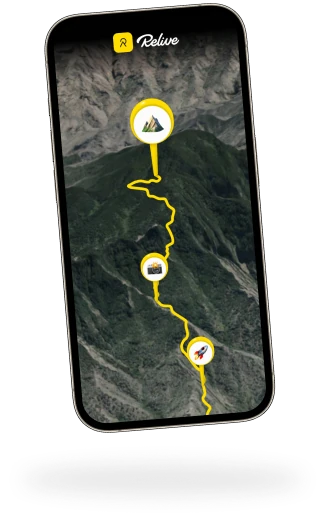
Relive is an app that turns your outdoor activities into 3D video memories worth sharing. It combines your GPS route with the photos and clips you took along the way, and automatically creates a shareable 3D video, with no editing skills needed. Here are direct answers to the questions people ask most.
Yes. The free version of Relive lets you record or import activities, create 3D route videos with up to 10 of your photos or clips, and share them publicly or privately. Relive Plus, the paid subscription plan, adds up to 100 photos and clips per video, 100+ music tracks, HD export, and custom themes. No subscription is required to share a video created on Relive.
Relive Plus costs $38.99 per year or $6.99 per month, with a 7-day free trial. See the full breakdown on the Relive Plus page.
Relive uses the GPS track of your activity, recorded in the app or synced from a device, and renders it as an animated 3D flyover of the real terrain. Photos or clips you took during the activity are placed along the route automatically, using their time and location. You pick a title and style; Relive builds the video in seconds.
Relive connects with 50+ trackers and apps, including Garmin, Apple Health, Wahoo, Suunto, Polar, and Coros. Activities sync automatically after you connect your account once. You can also import GPX files from any other source. See Relive + Garmin for a setup example.
Relive uses the GPS data your phone or watch records, so accuracy matches the device you record with. A dedicated sports watch typically gives the smoothest tracks. If a track has gaps (common in tunnels, dense forest, or deep valleys), you can import the same activity from another device instead.
Yes. Relive records your route using GPS, which works without a data connection. You need a connection afterwards to upload the activity and render the 3D video.
Yes. Connect a tracking app or upload a GPX, FIT, or TCX file, and Relive creates videos from activities you recorded before you ever installed it, including your history from Garmin for example.
Free covers the basics: record or sync activities, create 3D videos with photos or clips (up to 10), and share them. Plus is for people who want more control: up to 100 photos and video clips per video, music, HD export, custom color themes, video speed control, and priority processing. Full comparison on the Relive Plus page.
They do different jobs, and most Relive users run them together. Strava and Garmin Connect are built for training: stats, segments, and performance. Relive is built for the memory: a cinematic 3D video of where you went, with your photos in it. Activities sync from Garmin automatically. See Relive vs Strava for more.
For 3D route videos with your own photos, Relive is the most complete option. It is the only app that combines 3D map animation, automatic photo placement, and music in one video. Alternatives cover parts of the job: Strava Flyover shows a quick 3D route replay without photos, Komoot renders a satellite flyover of a planned route, and tools like Mult.dev animate maps for travel clips. We compare them honestly in the best 3D route video apps.
Yes. When someone sends you a relive.com link, it opens a video page of their activity, so you can watch it in your browser without installing anything or creating an account. Relive is made by a team in Amsterdam, the Netherlands, has 24M+ registered users, and is an Apple Editors' Choice.
You choose. Every activity can be private, visible to friends, or public, and you can set your default in settings. Your videos only show what you share.
Questions we haven't answered here? Our support centre covers the details.
Créez et partagez vos souvenirs en plein air !

